# systemctl enable systemd-timesyncd
root@i-18100000742907:~# systemctl start systemd-timesyncd
root@i-18100000742907:~# timedatectl status
               Local time: Mon 2025-07-21 08:39:04 UTC
           Universal time: Mon 2025-07-21 08:39:04 UTC
                 RTC time: Mon 2025-07-21 08:39:04
                Time zone: Etc/UTC (UTC, +0000)
System clock synchronized: yes
              NTP service: active
          RTC in local TZ: no
Time Zoneが東京になってないので
# timedatectl set-timezone Asia/Tokyo
root@i-18100000742907:~# timedatectl status
               Local time: Mon 2025-07-21 17:44:38 JST
           Universal time: Mon 2025-07-21 08:44:38 UTC
                 RTC time: Mon 2025-07-21 08:44:38
                Time zone: Asia/Tokyo (JST, +0900)
System clock synchronized: yes
              NTP service: active
          RTC in local TZ: no
/SoftEtherVPN_Stable# ./configure
---------------------------------------------------------------------
SoftEther VPN for Unix

Copyright (c) Daiyuu Nobori.
Copyright (c) SoftEther VPN Project, University of Tsukuba, Japan.
Copyright (c) SoftEther Corporation.
Copyright (c) all contributors on SoftEther VPN project in GitHub.

License: The Apache License, Version 2.0

Read and understand README.TXT, LICENSE.TXT and WARNING.TXT before use.
---------------------------------------------------------------------

Welcome to the corner-cutting configure script !

The Makefile is generated. Run 'make' to build SoftEther VPN.
makeします
/SoftEtherVPN_Stable# make
インストールします
/SoftEtherVPN_Stable# make install
vpnserverを起動
/SoftEtherVPN_Stable# vpnserver start
The SoftEther VPN Server service has been started.
Let's get started by accessing to the following URL from your PC:
https://***.***.***.***:5555/
or
Note: IP address may vary. Specify your server's IP address.
A TLS certificate warning will appear because the server uses self signed certificate by default. That is natural. Continue with ignoring the TLS warning.
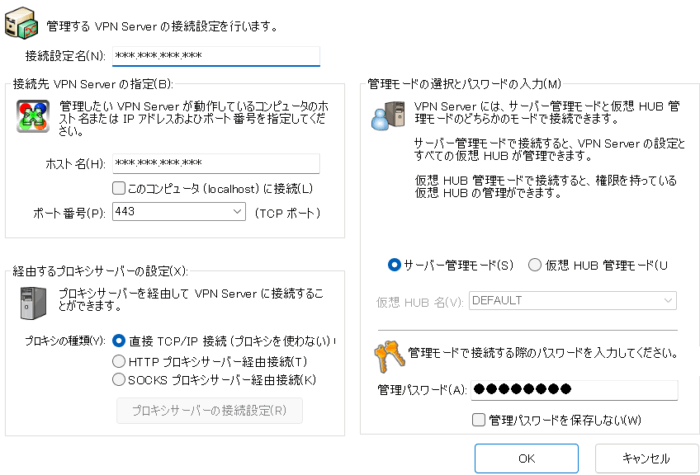
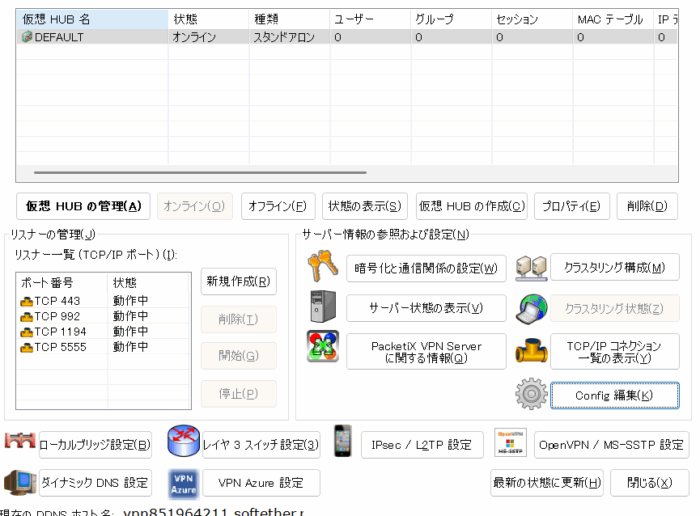
管理マネージャからの設定
クライアントPCにインストールしたサーバマネージャからPacketixVPNサーバに接続します。
初回アクセス時に管理パスワードを決めます。
ここから設定を開始してもよし。
もしくは、Config編集から、以前のバックアップを復元するのも大丈夫です。
バックアップを復元
今回は新サーバへの移行が目的です。
バックアップを復元します。
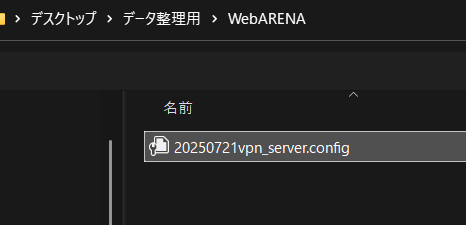
バックアップしたコンフィグを読み込ませます。
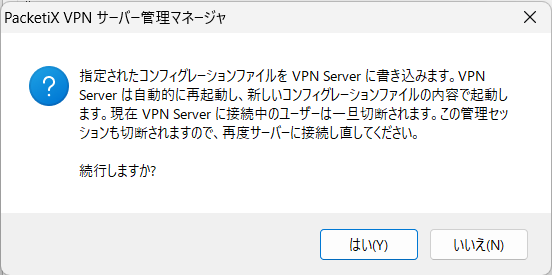
はいを押して継続
無事に設定が戻りました。
自動起動スクリプト
/etc/init.d# vi vpnserver
#!/bin/sh
### BEGIN INIT INFO
# Provides: vpnserver
# Required-Start: $local_fs $network
# Required-Stop: $local_fs $network
# Default-Start: 2 3 4 5
# Default-Stop: 0 1 6
# Short-Description: SoftEther VPN Server
# Description: SoftEther VPN Server
### END INIT INFO

DAEMON=/usr/bin/vpnserver
LOCK=/var/lock/vpnserver

test -x $DAEMON || exit 0

case "$1" in
start)
$DAEMON start
touch $LOCK
;;
stop)
$DAEMON stop
rm $LOCK
;;
restart)
$DAEMON stop
sleep 3
$DAEMON start
;;
*)
echo "Usage: $0 {start|stop|restart}"
exit 1
esac

exit 0